Scenes in.
Shows out.
The media server and show controller for OmniMotion. It renders 2D, 3D, video, live inputs and data natively, puts them on projectors, LED walls, SDI and streams, and runs the show live from one desk.
It plays any scene.
OmniMotion scenes rendered natively: 2D motion, 3D, effects, particles, HAP video, live SDI, NDI and camera inputs, and data.
Render · Video · DataIt drives every output.
Projectors with warp and blend, LED walls with their processors, SDI, NDI and Spout, across many machines.
Projectors · LED · SDIIt runs the show.
Cues on timecode, broadcast graphics with take and update, exposed fields operators can change live.
Cues · Graphics · TimecodeIt listens to the room.
OSC, MIDI, DMX, PSN tracking and an open API. Rules turn every input into an action.
OSC · MIDI · DMX · APIOne system, five moves.
Every show goes through the same five moves. Each one is a desk in OmniController.
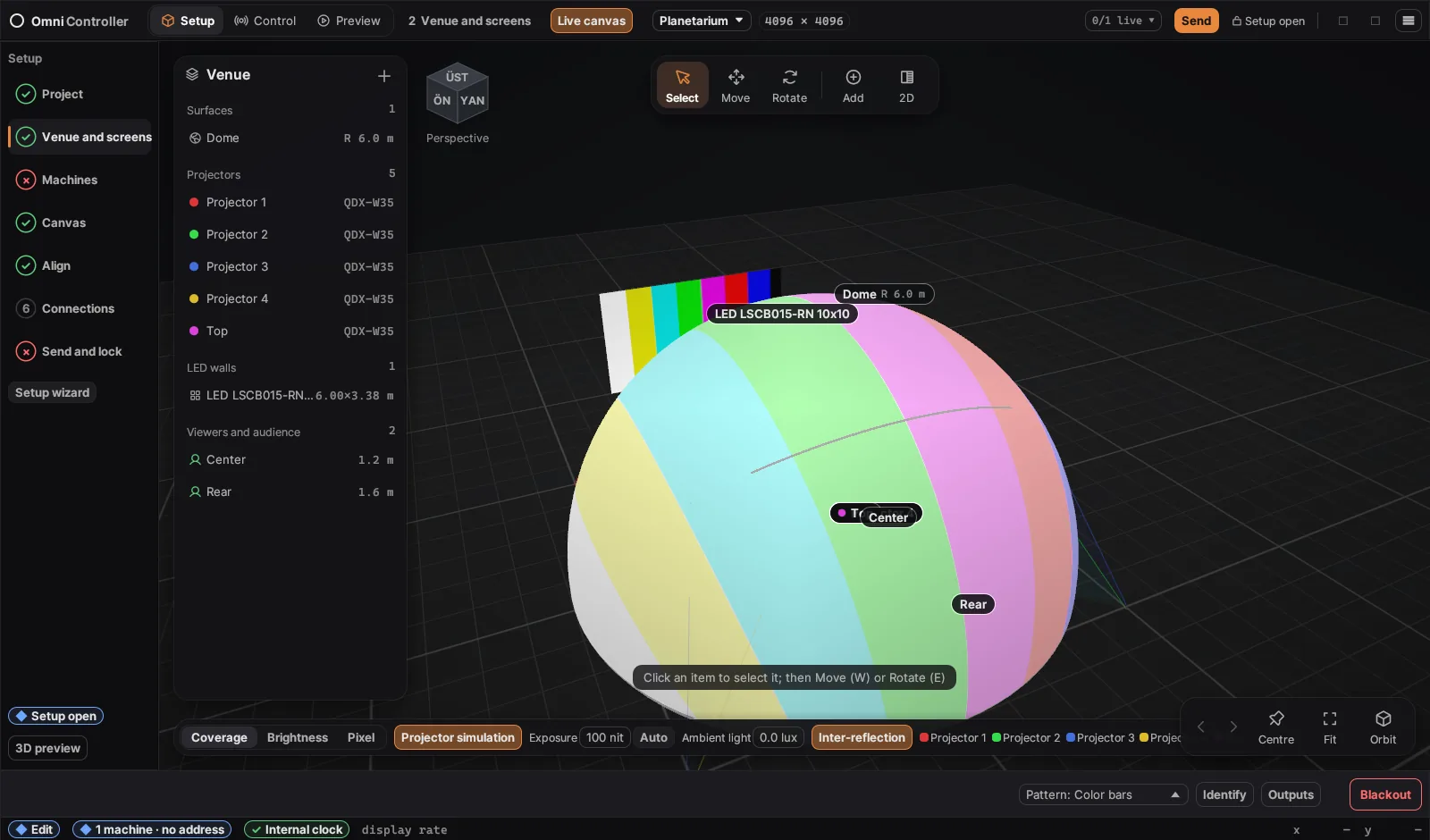
Build the venue
Surfaces, projectors, LED walls and the audience in metres, from a real equipment library or an MVR file.
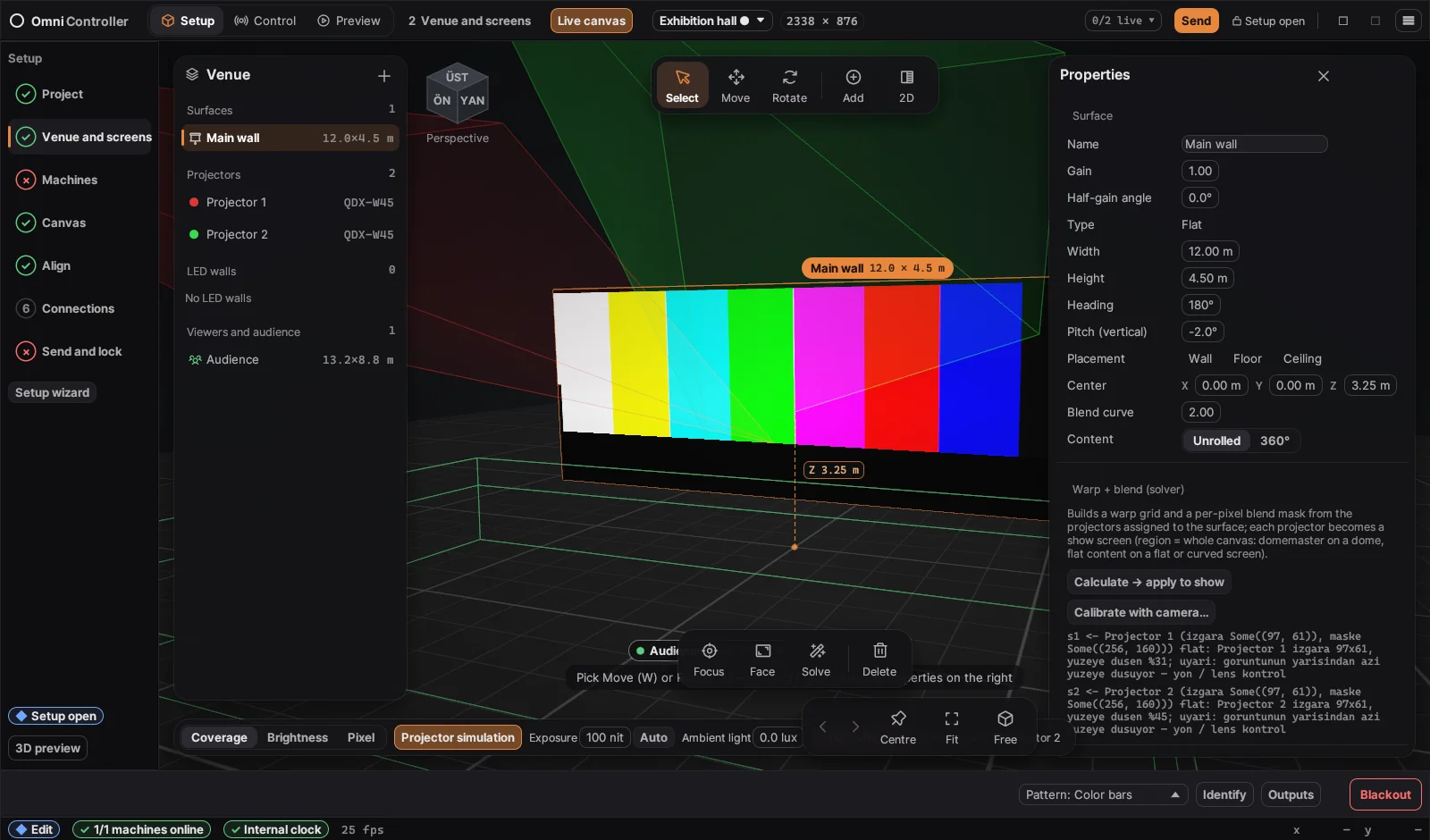
See it before you rig it
Brightness, shadows and pixel size as the audience will see them, from any seat or from any lens.
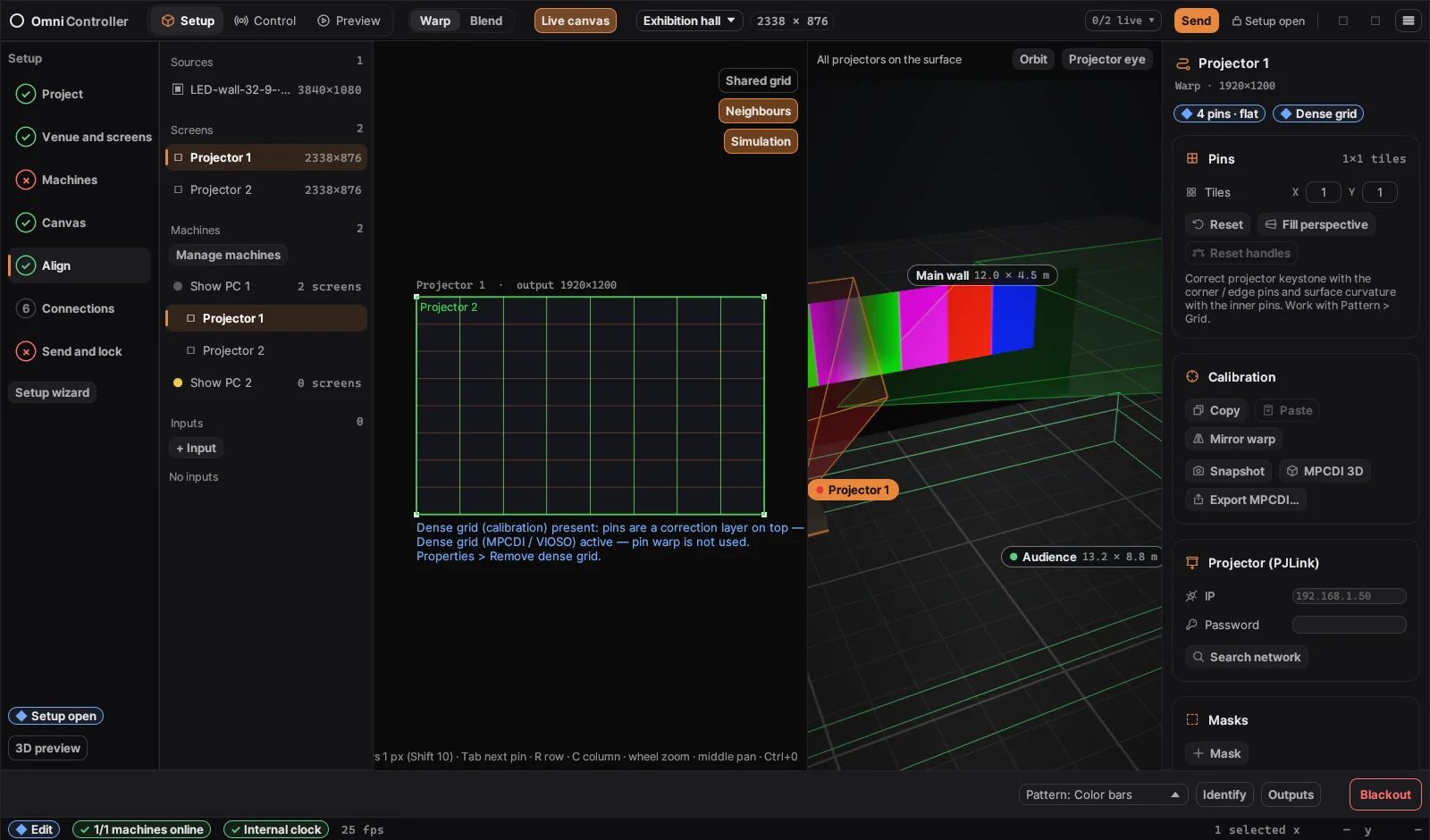
Warp, blend and slice
Solve every projector from the venue, refine with a camera, place slices where the surface needs them.
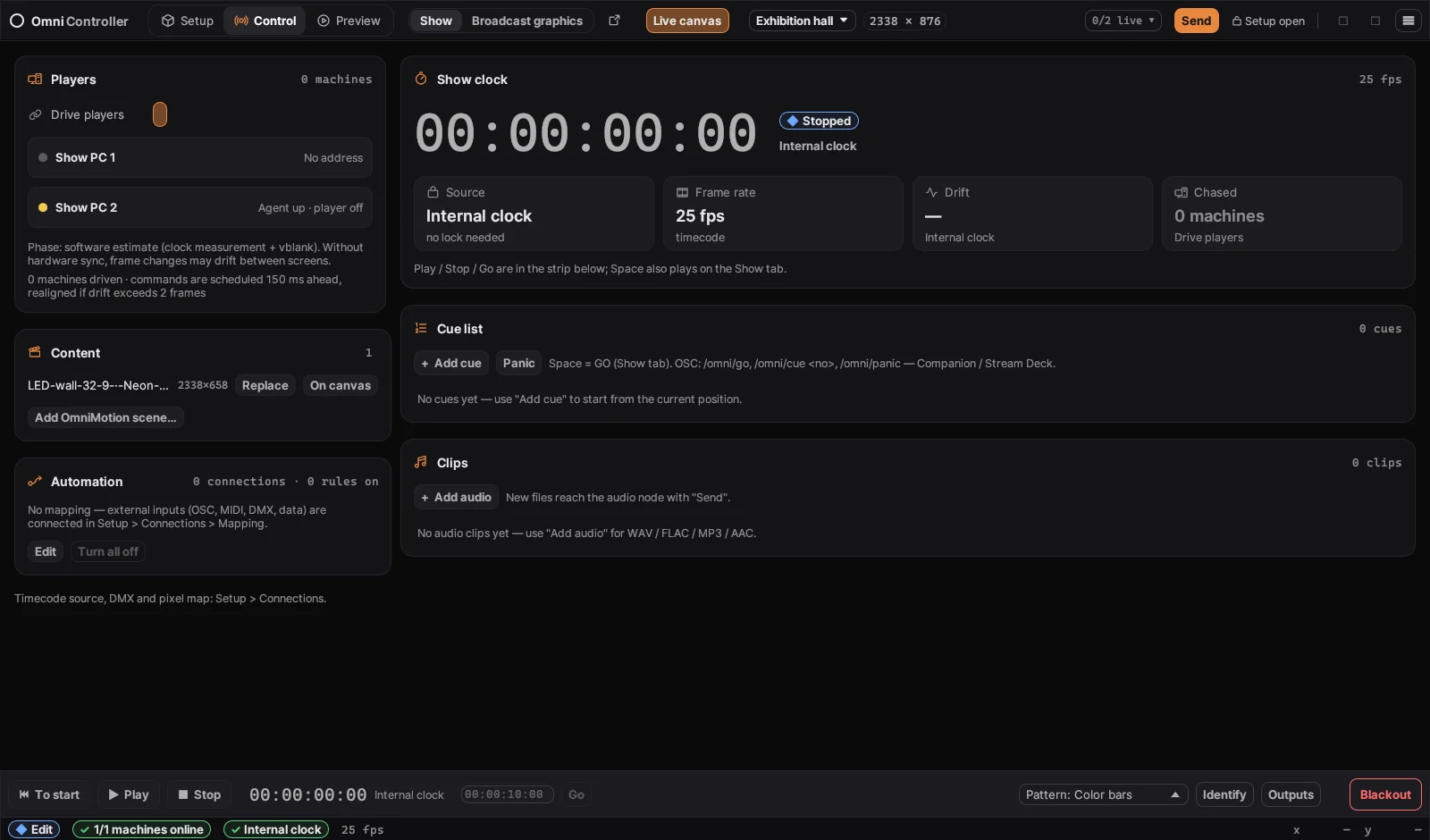
Run the show
Cues on timecode, broadcast graphics on air, exposed fields operators can change live.
Every output, every machine
Projectors, LED walls, SDI and NDI on as many machines as the show needs, on one clock.
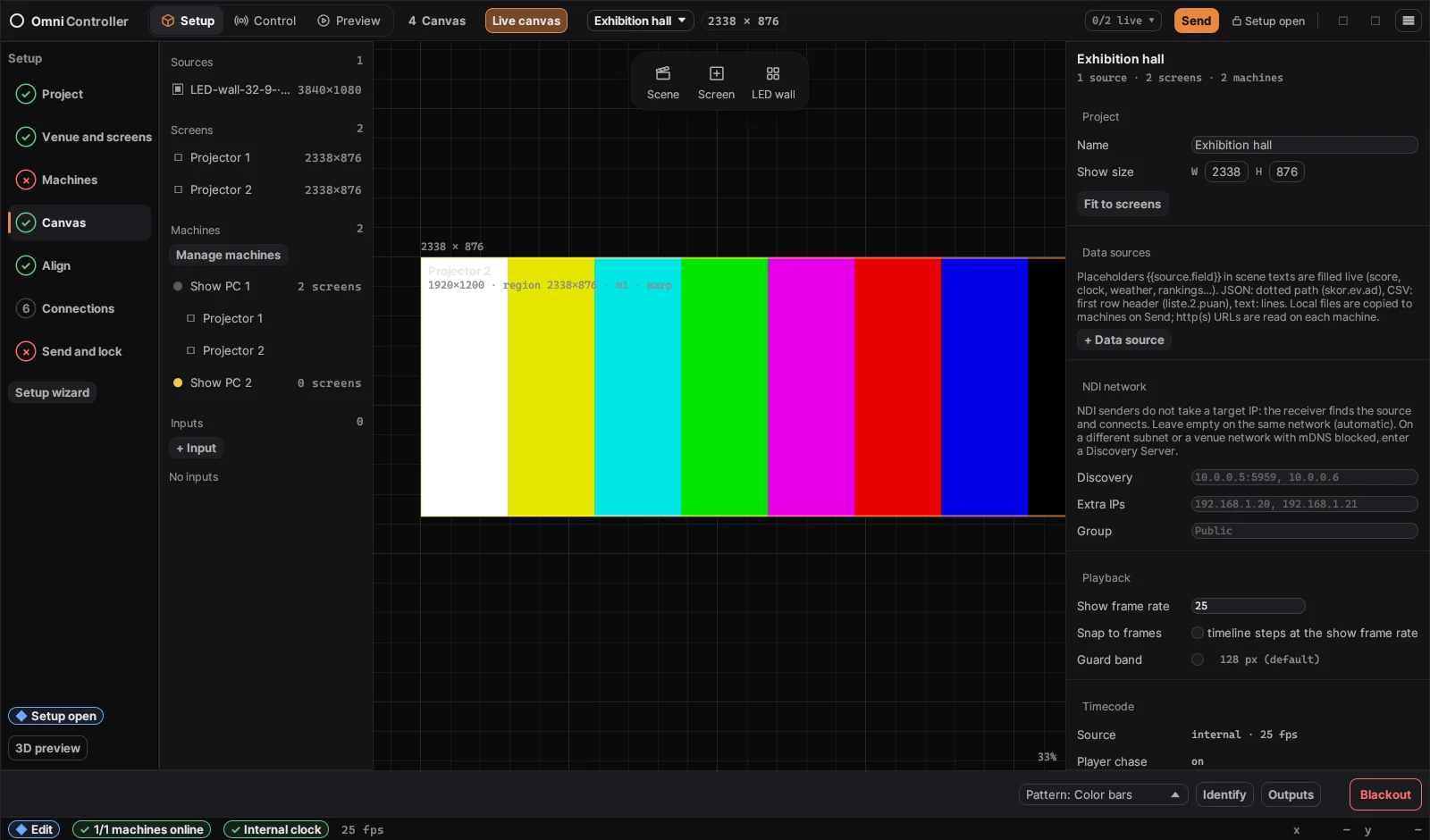
A real-time engine, not a video player.
Scenes are rendered live on each machine's GPU, so text, data and interaction stay sharp and change on cue.
- 012D motionShapes, paths, masks, text and keyframes, page and take flowRender
- 023DPBR materials, lights and shadows, glTF models, clonesRender
- 03Effects and particlesEffect stacks and GPU particles, identical on every machineRender
- 04VideoHAP, HAP Q and HAP Alpha, any source converted to HAPMedia
- 05Live inputsSDI, NDI, Spout and cameras with a fallback on signal lossInput
- 06Data and interactionJSON, CSV or HTTP feeds into text; rules, states and eventsData
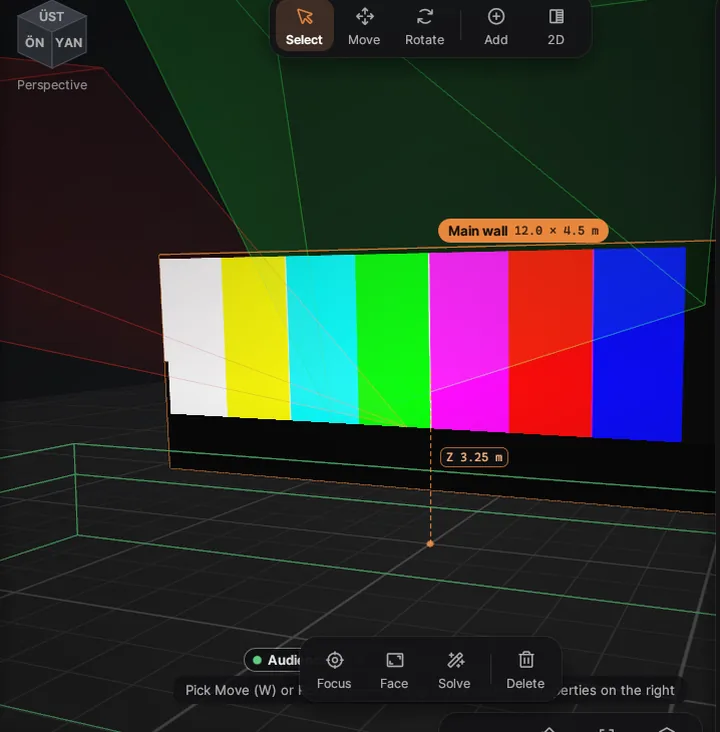
Every surface, one canvas.
Projectors, LED walls, SDI and streams are outputs of the same show. Each one takes its own region of the canvas.
- 01
Projection
Warp with corners, grids and bezier handles, soft-edge blend, black level, masks and colour per output. Dome and curved-screen solvers.
- 02
LED walls
Design walls from the panel library, plan processor ports for NovaStar, Colorlight and Brompton, and check viewing distance.
- 03
SDI and streams
Any output to SDI with fill and key for broadcast, or as NDI and Spout with alpha, windowed or headless.
- 04
Many machines
Multiple outputs per machine and NVIDIA Mosaic regions. All machines follow one clock, frame by frame.
Pick the region. Place it.
One projector can show many parts of the canvas. Each slice has an input, the region it takes, and an output, where it lands in the projector.
Try it: move a region on the left, drag its corners on the right.
Input and output side by side
- Draw the region over the canvas
- Snap to edges, centres and other slices
- Pixel fields, arrow keys for 1 px nudges
Warp that fits the surface
- Four perspective corners
- Subdividable grid with bezier handles
- Masks in content or output space
Order and overlap
- List order is draw order
- Opaque slices cover what is underneath
- Match output to input 1:1, split into a grid
Seams that disappear.
Overlaps are solved from geometry, refined with a camera and exchanged with the tools you already use.
Solve
- Warp and blend from the 3D venue
- Flat, curved and dome surfaces
- Re-solve only when you ask
Calibrate
- Structured light with one camera
- USB, NDI or Spout cameras
- Pixel black-level maps
Exchange
- MPCDI import and export
- VIOSO and mesh imports
- Shared alignment grid on every projector
Finish it at your desk, not on site.
The simulation behaves like the room: brightness, shadows and pixel size are what the audience will see on the night.
- 01
Real equipment
Projector bodies and lenses from Barco, Christie, Panasonic, Epson and NEC; LED panels from Barco and LG. Lens shift in each maker's own convention.
- 02
Light you can trust
Lumens become lux and nits with off-axis falloff, screen gain, black level and room light.
- 03
Shadows and obstacles
Trusses, set pieces and people cast real shadows; the audience blocks the beam where it would.
- 04
Every projector setting
Mount point and lens offset, ceiling and rear modes, panel and signal resolution, focus and lens distortion.
Run it live.
A show is a timeline of cues and a set of graphics. Anything in the room can fire them, and operators change only what the designer exposed.
Show and cues
- Cue list with GO, wait and follow
- LTC, MTC and Art-Net timecode, LTC out
- Blackout, panic and test patterns
Broadcast graphics
- Cue, take, update, out and clear per layer
- Rundown, preview and program, tally
- As-run log of everything on air
Exposed fields and data
- Text, numbers, colours, images and video
- Fed by JSON, CSV or HTTP data
- Values saved with the show
Inputs and rules
- OSC, MIDI, DMX / Art-Net, PSN tracking
- Rules with conditions, transforms and fallbacks
- PJLink projector control
Open API
- TCP, UDP and HTTP on one port
- Web panel for tablets, Stream Deck via Companion
- MCP server for AI assistants
Sound and light
- Audio clips locked to the show clock
- Stereo to dome layouts, meters, LTC out
- MVR import, DMX record and playback, pixel maps
Every machine, one desk.
Agents on the show machines are found on the network. The controller sends them their outputs, scenes and media, and watches their health.
- 01PlayerGPU rendering, warp, blend and colour per outputWindows · DX12
- 02AgentFound automatically, starts players, receives the showNetwork
- 03One clockFrame-aligned commands across all machinesSync
- 04HealthCPU, GPU, memory and temperature; late frames and drift flaggedMonitor
- 05Send and lockCheck list, send the show, lock the setupShow
Scenes are designed in OmniMotion Studio: 2D, 3D, interaction and data in one file.
Explore OmniMotion →System requirements
- Operating system
- Windows 10 / 11, 64-bit
- Graphics
- DirectX 12 GPU · NVIDIA for Mosaic and temperature monitoring
- Network
- Gigabit Ethernet between the controller and show machines
- Video I/O
- SDI cards, NDI, Spout
- Media
- HAP, HAP Q, HAP Alpha
What is OmniController?
The show side of OmniMotion. Scenes are designed in OmniMotion Studio; OmniController renders them on every output, aligns the outputs to the venue and runs the show live.
Which outputs does it drive?
Projectors, LED walls, SDI, NDI and Spout, on as many machines as the show needs, with several outputs per machine and NVIDIA Mosaic regions.
Which video formats can it play?
HAP, HAP Q and HAP Alpha. Other sources, from image sequences to any common video file, are converted to HAP with the included tool.
Can operators change content during the show?
Yes, but only what the designer exposed: text, numbers, colours, images and video. Data feeds and the API can change them too.
Does it work with my lighting desk or show control?
It takes timecode, OSC, MIDI, DMX / Art-Net and PSN, imports MVR, controls projectors over PJLink and has an open API with a Stream Deck module.
See it on
your show.
Send us a drawing, a few photos or a scene. We will build it in the simulation and walk you through it in a call.
Book a demo
Thank you. We will get back to you shortly.